


Parking Kitty
4.61.88K Reviews
App Specs
- Version
- 1.0.4
- Updated On
- License
- Free
- Downloads
- 500,000+
- Developer
- City of Portland, Oregon
- Categories
- Travel & Local
- Platform
- Android
Screenshots
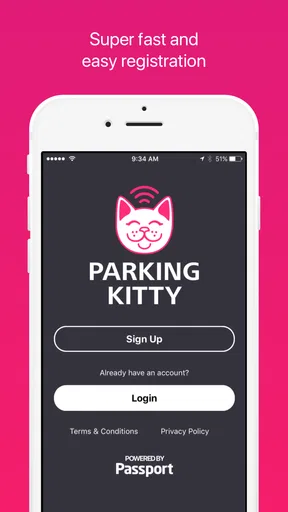
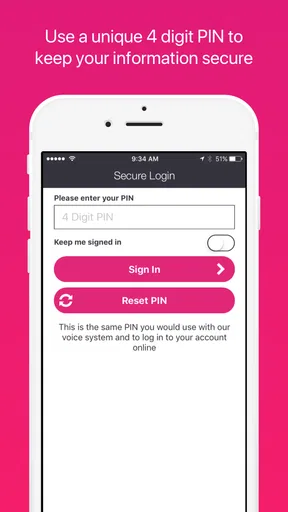
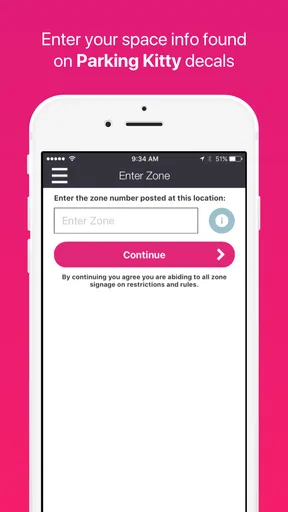
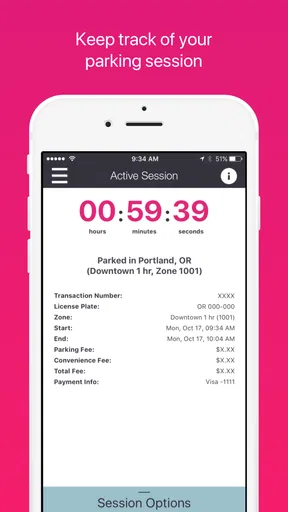
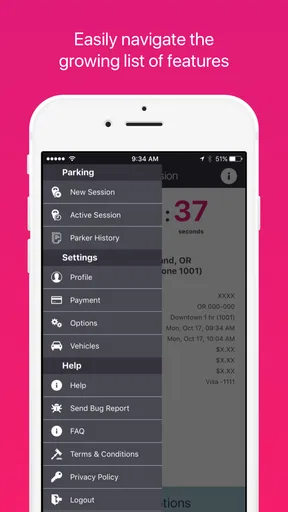
 Analysis by AppCompare
Parking in Portland can turn a simple errand into a small planning exercise, especially when I am already running late and do not want to search for coins, walk back to a meter, or guess how long I will stay. Parking Kitty is designed around that exact problem. It is a free Travel & Local app from the City of Portland, Oregon, and its purpose is straightforward: help drivers handle parking from a phone instead of treating the meter as the only point of control.
After using it, my impression is that its value comes less from flashy extras and more from reducing interruptions. The app is most useful when I want to park, start a session, keep an eye on the remaining time, and deal with the practical details without returning to the vehicle. That sounds modest, but it changes the experience of short visits, appointments, shopping stops, and meetings where the end time is uncertain.
My overall view is that Parking Kitty works best as a focused parking companion, not as a general travel app. If you regularly drive into Portland and use areas supported by the service, it can make parking feel more manageable. If you rarely park there, prefer cash, or want one app that covers every city you visit, its narrow local focus may be a reason to skip it.
How the app feels during an ordinary parking stop
The first thing I noticed is that the app is built for moments when attention is limited. I am usually standing beside the car, checking signs, looking at the street, and deciding how long I need. A parking app that makes me hunt through menus would be a liability. Parking Kitty’s appeal is that it keeps the central task visible: connect the parking session with the place where I left the car and the time I expect to need.
That focus also shapes my expectations about speed. I do not need a complicated screen to load instantly, but I do need the important actions to feel direct. In normal use, I would judge the app by how quickly I can move from opening it to understanding what I need to do next. A few extra seconds are not a serious problem when I am parked safely, but hesitation becomes frustrating when I am blocking a space or standing in poor weather.
The practical workflow matters more than visual polish here. Before starting anything, I still have to read the street signs and confirm that the space is actually covered by the relevant parking system. The app should not replace that habit. A phone can help manage a parking session, but it cannot reliably interpret every temporary restriction, loading zone, event notice, or curbside instruction that may be posted nearby.
One useful habit is to open the app only after I have identified the location and the likely length of the stop. That avoids beginning the process while I am still moving the car or trying to decide whether the space is legal. It also makes the app feel faster because I am asking it to perform one clear job instead of using it as a substitute for checking the street.
Worth Reading Before You Choose

EA SPORTS FC Mobile 26 Is a Bigger Football Game, but It Takes Time

Flipboard Shows What News Apps Must Do Beyond the Feed

Switching to Android Auto Means Rethinking Your Driving Routine

Google Calendar Makes a Crowded Week Easier to Manage

Ludo King Makes the Most of the Minutes Between Plans

Baby Panda World Brings Quick Play to Modern Phones, but Its Game Library Feels Busy
Where the speed advantage is most noticeable
The strongest speed benefit appears after the initial setup and location check. Once I know I am in the right place, managing the session from the phone is more convenient than returning to a meter. This is especially helpful when the visit changes unexpectedly. A coffee that becomes a longer conversation, a medical appointment that runs behind, or a store visit that takes more time than planned can all make a fixed parking period awkward.
That flexibility is also a trade-off. A phone-based process can feel quicker than a physical meter, but it adds a digital step. I need a charged device, a usable connection, and enough confidence that the session was completed correctly. With a traditional meter, the action is visible at the curb. With an app, I have to pay attention to the confirmation and keep the phone available if I need to review the session later.
I would not describe Parking Kitty as something to operate casually while driving. The safe workflow is to pull over, park legally, and then use the phone. That sounds obvious, yet it is an important distinction between a convenient parking tool and a distraction. The app saves time after parking; it should not encourage anyone to interact with a screen in traffic.
What happens when parking gets busy
Heavy-use moments are where any parking app earns or loses trust. Portland streets can become more demanding during busy shopping periods, events, bad weather, or the morning rush. In those situations, I care less about extra options and more about whether the app lets me finish the essential task without confusion.
My advice is to prepare before the most stressful part of the stop. If I know I am heading downtown, I can make sure the phone is charged, the app is ready to use, and I understand the vehicle and payment details I intend to use. That small amount of preparation reduces the chance that I will be trying to create an account or correct an entry while other drivers are waiting.
A second useful workflow is to treat the app as part of the parking routine rather than something I remember only after walking away. I check the space, note the zone information, start the session, and then verify the result before leaving the car. That final check is easy to skip when I am in a hurry, but it is the most valuable moment for catching a wrong location or an unfinished action.
For longer visits, I would also avoid assuming that the first time estimate will remain accurate. The app can make it easier to manage a session, but it cannot predict how long a meeting, appointment, or dinner will take. I still need to watch the time and make a deliberate decision when the visit changes. Convenience is not the same as automatic protection from every parking mistake.
Reliability and recovering from interruptions
Reliability in this category has two parts. The first is whether the app responds normally when I start or review a parking session. The second is whether I can recover calmly if the phone, connection, or my own attention lets me down. Parking Kitty feels most dependable when I use it deliberately and confirm each important step instead of assuming that tapping a button automatically completed everything.
Phone apps can encounter ordinary interruptions: a weak signal, a low battery, an incoming call, or an operating-system change. I do not treat any of those as proof that Parking Kitty is failing, but they are reasons to build a recovery habit. If the screen closes during setup, I reopen the app and check the current state rather than immediately repeating the payment action. Repeating a step without checking can create uncertainty about what was actually recorded.
That is one of the less obvious differences from using a meter. A physical machine gives me a visible printed or displayed result at the curb. A mobile system gives me more flexibility, but I have to be responsible for confirming the digital result. I recommend taking a moment to review the session details before walking away and keeping the phone accessible during the visit in case I need to check the remaining time.
If my phone is nearly dead, I would not make the app my only plan. The sensible approach is to charge before leaving, carry a backup battery for longer outings, or choose a parking method that does not depend on the device. This is not a criticism unique to Parking Kitty; it is the basic trade-off of replacing a physical parking interaction with a phone.
The app’s public reception suggests that many people find the concept dependable enough to keep using. It carries an average rating of 4.6 from around 5.8 thousand ratings, with roughly 1.9 thousand written reviews. I see that as encouraging rather than conclusive: ratings indicate broad satisfaction, but my own experience can still vary with the phone, network, location, and how carefully I follow the parking signs.
Device age, storage, and everyday resource demands
Parking Kitty is not the sort of app I would expect to dominate a modern phone’s resources. Its job is focused, and I use it in short sessions rather than leaving it open all day. In practical terms, the bigger concerns are battery level, connectivity, and whether the device can run the app comfortably, not whether parking management will become a major drain.
The stated minimum operating-system requirement is Android 4.4, which gives the app a notably broad compatibility range for Android users with older phones. That is helpful for someone who keeps a spare device in the car or does not upgrade frequently. At the same time, compatibility with an older operating system does not guarantee that every old phone will feel equally smooth. A very dated device may still open apps more slowly, handle multitasking less comfortably, or have a battery that is no longer trustworthy.
The current version is 1.0.4. I would keep the app updated through the normal app-store process when an update is available, particularly if the phone has recently changed its operating system. Updates can matter for stability, sign-in behavior, and compatibility even when the app’s central purpose remains unchanged.
For iPhone users, the important question is not simply whether a phone can install a parking app. It is whether the device is current enough to remain reliable during the entire visit. The same applies on Android: an older compatible phone can be perfectly adequate for a quick session, but I would be more cautious if it has limited battery life, frequently loses data service, or closes apps in the background.
One practical tip is to avoid force-closing the app immediately after starting a session if I expect to check it again soon. I do not need to keep staring at it, but leaving the phone in a normal, usable state makes recovery easier than searching through a closed app while rushing back to the car. I also prefer to keep location and zone details visible long enough to verify that I selected the correct place.
Who benefits most from Parking Kitty
The clearest audience is a Portland driver who parks often enough for small conveniences to add up. Someone who visits the city for work, attends regular appointments, or makes frequent downtown stops can benefit from having one familiar process instead of relearning the parking routine each time. The app is also useful for drivers whose plans often change after they leave the car.
Consider a realistic weekday example. I drive into Portland for an appointment that should take less than an hour, but the office is running late. With a conventional fixed payment, I may have to return to the vehicle earlier than planned or risk exceeding the paid period. With a phone-based parking session, I can check the situation from where I am and make a decision without interrupting the appointment. The convenience is not that the app removes responsibility; it is that it puts the parking task within reach.
It can also suit people who dislike handling coins or who want a digital record of their parking activity. That said, I would not recommend it as the only option for a visitor who is unfamiliar with Portland’s parking signs and assumes the app will identify every legal detail automatically. The driver still needs to understand the curb, the restrictions, and the applicable area.
People who should think twice include those who park only once in Portland, have unreliable mobile service, or do not want to create a phone-based routine for a rare visit. A meter or another accepted payment method may be simpler when the stop is occasional and the digital setup would take longer than the parking itself. I would also be cautious about relying on it during a day when my battery is already low.
How it compares with the usual alternatives
Compared with a traditional meter, Parking Kitty offers mobility after I leave the vehicle. That is its clearest advantage. I can manage a parking session without physically returning to the curb, which is valuable when the weather is unpleasant, the destination is far from the car, or the visit is taking longer than expected.
The meter has its own strengths. It is immediately tied to the space, does not depend on my phone battery, and can be easier for a one-time visitor who wants the most visible possible transaction. A meter also keeps the parking action separate from my personal device. For drivers who prefer physical confirmation, that simplicity may outweigh the flexibility of an app.
Compared with a broad travel or navigation app, Parking Kitty is more specialized. A general map may help me find an address, plan a route, or explore nearby places, but it is not necessarily built around the details of a Portland parking session. Parking Kitty makes more sense when parking management is the main task. I would use a navigation app to get there and this app for the parking step, rather than expecting either one to replace the other completely.
That specialization is both the strength and the limitation. I do not install it because I want restaurant recommendations or city exploration tools. I install it because I want a focused way to handle parking in Portland. Drivers who spend time in several cities may prefer a broader parking service if it supports all their destinations, while regular Portland visitors may appreciate the local focus more than a crowded all-purpose app.
Setup habits that prevent avoidable trouble
The best experience starts before I reach the curb. I make sure the phone has enough battery, confirm that I can access the account and payment details I plan to use, and avoid beginning the process while still searching for a space. These steps are boring, but they matter more than any small interface preference when the street is busy.
Once parked, I read the signs before choosing anything in the app. I then compare the location information on the phone with what I see around me. This two-step check is especially important on blocks where nearby spaces may look similar. A parking app can streamline payment and time management, but choosing the wrong area is still a human error that a polished interface cannot fully prevent.
I also make a habit of checking the session after completing it. If the app shows a clear active state, I feel more comfortable walking away. If something looks incomplete, I resolve that before leaving the car. This is one of the most useful habits for new users because it turns an invisible digital action into something I have consciously verified.
For an uncertain visit, I set a personal reminder to review the parking time rather than trusting memory. The app may make the session easier to manage, but my attention is still the final safeguard. A reminder is particularly useful when I am going into a meeting, a hospital, a busy shop, or any place where I may lose track of time.
Privacy, trust, and the local focus
Because Parking Kitty handles a real-world parking activity, I think about trust differently than I would with a casual city guide. I want to know that I am using the official local service, that I can recognize the correct app, and that I am comfortable managing the required account information on my phone. The developer is listed as City of Portland, Oregon, which gives the app a clear municipal identity rather than making it look like an unrelated third-party parking tool.
That local identity is reassuring for Portland-specific use, but it also sets a boundary. I would not assume that installing this app gives me a universal solution for parking outside the city. When I travel elsewhere, I check the local signs and accepted payment methods instead of expecting the same workflow to follow me automatically.
The app is marked suitable for Everyone, which makes sense for a practical parking utility rather than an entertainment product. Still, the age label does not remove the need for adult judgment around driving, payment details, and local parking rules. A younger passenger might help navigate the app, but the driver remains responsible for using it safely and legally.
My performance verdict after weighing the trade-offs
Parking Kitty succeeds because it addresses a narrow annoyance with a practical mobile workflow. Its perceived speed is strongest when I have prepared in advance and know the correct parking area. Its resource demands appear modest for a focused app, while the real performance risks come from an old battery, a weak connection, or a device that struggles with everyday multitasking. Recovery is manageable when I verify the session instead of repeating actions blindly.
The app has been available since May 17, 2017, and its reach is substantial, with over 500 thousand installs. That history and adoption make it easier for me to take the service seriously as a regular Portland parking option, while the current version and broad Android compatibility help it remain accessible to people using older devices.
Still, I would not call it effortless for every driver. The first use requires attention, the street signs remain the final authority, and a phone-based system introduces dependencies that a meter does not. Someone who wants a completely physical, visible transaction may be happier with the usual curbside alternative. Someone who parks in Portland often and values the ability to manage a session away from the car will probably see the trade-off differently.
For me, the deciding question is simple: do I regularly need to park in Portland, and am I comfortable making my phone part of that routine? If the answer is yes, Parking Kitty is worth trying because it can remove a surprising amount of friction from ordinary stops. It is free, rated for Everyone, and focused enough that I can understand its purpose quickly. I would recommend it to a friend who drives into Portland with a charged phone and a willingness to check the signs carefully. I would skip it only when the visit is rare, the device is unreliable, or a physical meter is plainly the simpler choice.
Pros
- Quickly pay for parking from your phone without using a meter.
- Shows parking sessions and remaining time in one convenient place.
- Supports extending a session remotely when local rules allow it.
- Digital receipts make expense tracking and reimbursement easier.
- Available in participating cities with location-based parking options.
Cons
- Coverage is limited to participating locations and parking operators.
- Service fees may increase the total cost of shorter parking sessions.
- Requires mobile data
- GPS
- and a charged phone to work reliably.
- Incorrect zone selection can lead to overpayment or parking penalties.
- App availability and features may vary between cities.
FAQs for Parking Kitty
What is Parking Kitty, and how does it work?
Parking Kitty is a mobile parking app that allows you to pay for parking from your Android or iOS device in participating locations. After creating an account, you can enter the zone or scan the information displayed near the parking space, select the desired parking duration, and complete payment through the app. It can also let you extend your session remotely when local rules permit.
Do I need an account to use Parking Kitty?
In most cases, you need to register an account before using Parking Kitty for mobile payments. The setup generally requires basic personal information and a valid payment method, such as a credit card or another supported option. Creating an account makes it easier to manage vehicles, review parking activity, receive reminders, and use the service again without entering your details each time.
Can Parking Kitty be used in every parking area?
No. Parking Kitty only works in participating cities, streets, lots, and garages that display compatible signs or zone information. Before starting a session, check the parking sign and confirm that the location is supported in the app. Entering the wrong zone can result in an invalid payment or a parking citation, so reviewing the location details carefully is essential.
Does Parking Kitty charge extra fees besides the parking price?
Depending on the city and parking operator, Parking Kitty may add a convenience, service, or transaction fee to the standard parking rate. The exact amount can vary by location, payment method, and local regulations. The app normally shows the total cost before you confirm the transaction, so review the final price carefully rather than assuming you will pay only the posted parking rate.
Can I extend or cancel a parking session with Parking Kitty?
Parking Kitty may allow you to extend an active parking session directly from your phone, which is useful when you are delayed and the location permits additional time. However, extensions are subject to local maximum limits and operating rules. Cancellation and refunds are also controlled by the parking authority, so an unused period may not always be refundable. Always check the session status and local policy.


